You can tolerate a lot on a handheld or older gaming laptop: softer textures, a little fan noise, maybe a battery-draining shader compile stutter here and there. What you can’t fake is playability. When a massive open-world game crawls at 4 FPS, the problem stops being graphics quality and starts becoming a completely different question: is your hardware actually suited for modern open-world design, or are you forcing a sightseeing simulator onto a machine that has already tapped out?
That question suddenly feels bigger than one viral ultra-low-performance playthrough. It touches everything from Steam Deck settings culture to the way players shop for docks, cooling solutions, storage, grips, and even external displays. It also overlaps with a broader hardware reality: CPUs are getting more capable in the midrange, developers keep building denser worlds, and gamers are increasingly treated as people with transferable high-focus skills beyond gaming itself. Strange mix? Maybe. But it all points to the same thing: performance discipline matters, whether you’re riding through a sprawling frontier, managing a chaotic system under pressure, or deciding which hardware upgrades actually move the needle.
Why did that 4 FPS Red Dead Redemption 2 story hit such a nerve?
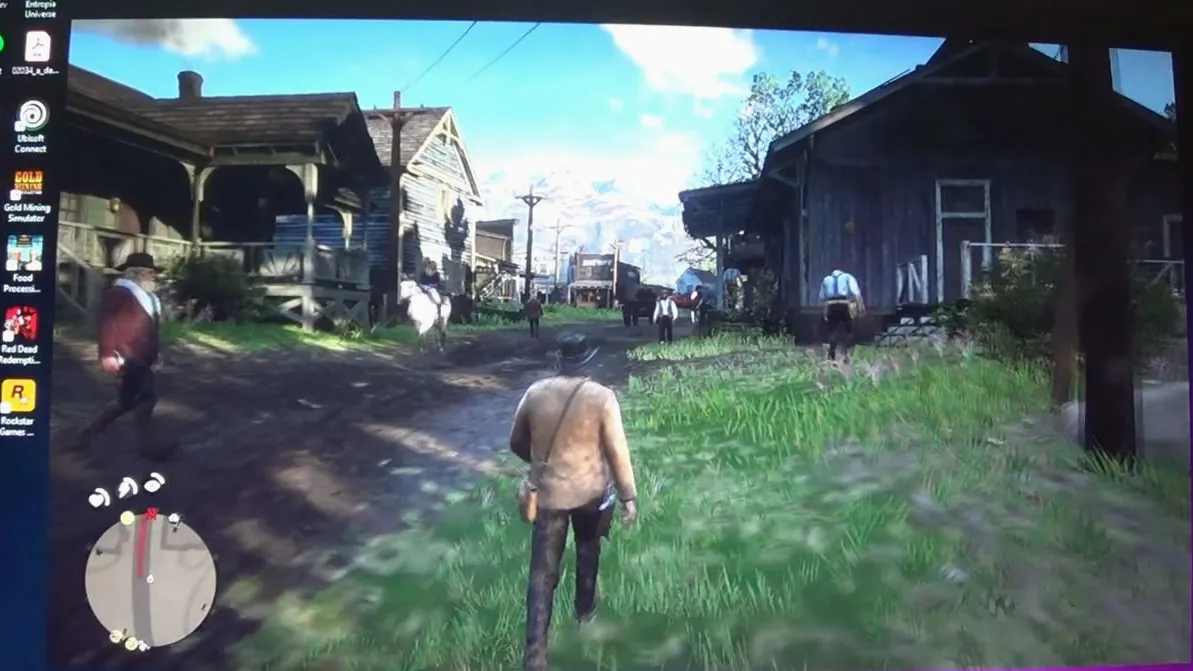
Because every handheld and budget-hardware player recognized the fear immediately: being technically able to launch a game is not the same as being equipped to play it. The viral setup in question used an older Intel i5-8300H paired with a GTX 1050 Ti 4GB, and the result was brutal enough to turn the opening chapter of a famously cinematic game into an endurance challenge. At that frame rate, a game designed around mood, movement, traversal, shootouts, and reactive systems becomes something else entirely.
And yes, there’s a weird fascination in seeing a modern classic pushed to absurd extremes. The gaming community loves stress tests, joke builds, cursed configs, and “it runs” screenshots. But the real lesson isn’t meme value. It’s that open-world games expose weak hardware faster than many players expect.
Linear games can sometimes hide shortcomings better. Corridor shooters, fighters, retro indies, and lighter action games can remain enjoyable even when you compromise hard. Open worlds don’t give you that luxury. They stack pressure from multiple angles:
- CPU load from AI routines, world simulation, physics checks, crowds, streaming logic, and systemic interactions
- GPU load from large environments, lighting, shadows, volumetrics, vegetation, and long-distance rendering
- VRAM pressure from high-resolution textures, streaming assets, and post-processing effects
- Storage pressure when the game constantly streams terrain, animations, and world state data
That’s why a game can feel “fine” in a benchmark scene and then completely unravel once you start moving through a busy town, riding across a huge map, or triggering combat chaos. If your machine spends all its time on the edge, the frame pacing becomes nasty, input latency balloons, and every minor hitch feels worse than the raw average FPS number suggests.
Ask yourself: do you want to play the game, or just prove that the executable opens?
What does this mean for Steam Deck, Switch, and portable-hardware buyers?
It means you should stop shopping by marketing labels alone and start shopping by performance behavior under real game types. “Runs AAA games” is meaningless without context. A portable system might be excellent for action RPGs, emulation, indies, and older AAA titles, then struggle once you throw in a demanding open-world release with heavy traversal and simulation overhead.
For Steam Deck owners, this is where accessory buying gets smarter. If you mostly play dense, big-map games, your quality-of-life upgrades should prioritize sustained usability, not aesthetics first. That means:
- A solid grip case if long sessions create hand fatigue
- A dock with proper display output if you want to lower internal strain by tuning settings while using external peripherals
- High-quality microSD or upgraded internal storage to reduce headaches around giant installs and asset streaming bottlenecks
- A cooling-conscious setup so your device isn’t trapped in a heat-soaked environment during long sessions
- A controller with better ergonomics when precision matters more than portability
Switch owners should be even more ruthless about expectation management. Nintendo’s ecosystem is excellent at art direction, optimization tricks, and first-party design discipline, but if you’ve spent time around handheld PC discourse, don’t import those assumptions blindly. A game’s scale, streaming demands, and CPU behavior matter far more than simple genre labels. If you’re upgrading your setup for comfort and longevity, smart add-ons matter more than ever, especially if you’re already browsing Nintendo Switch accessories for better grip, travel protection, and docked-play convenience.
The practical takeaway is simple: buy accessories that support the games you actually play. If your library leans open-world, prioritize thermals, storage, controls, and session comfort. If you mostly play turn-based, platformers, or retro collections, your spending priorities can shift toward portability and battery-friendly convenience.
Why are newer midrange CPUs suddenly part of this conversation?
Because open-world performance is no longer just a “GPU problem,” and the latest midrange CPU battle makes that crystal clear. The recent faceoff between Intel’s Core Ultra 7 270K Plus and AMD’s Ryzen 7 9700X points to a market shift that portable and console-adjacent buyers shouldn’t ignore: the CPU is becoming a bigger quality-of-experience factor in big modern games, especially for frame consistency.
Average FPS screenshots are easy bait. What actually changes how a game feels is often lower-frame behavior: 1% lows, traversal smoothness, shader management, simulation-heavy moments, and whether the system keeps up when the world gets busy. Open-world games punish weak CPU scheduling and limited headroom fast.
Here’s the bigger implication. If a newer midrange desktop chip is emerging as the smarter balance point, that reinforces a truth handheld players already feel every time they tweak TDP, cap frame rate, or drop crowd density: balanced hardware wins. Not peak spec on paper. Not a single killer benchmark. Balance.
| Hardware Factor | Why It Matters in Open Worlds | What You Feel In-Game |
|---|---|---|
| CPU | Handles world logic, AI, streaming coordination, simulation | Stutters in towns, poor traversal smoothness, inconsistent frame pacing |
| GPU | Renders lighting, terrain, effects, shadows, distance detail | Low FPS during exploration, combat drops, blurry compromises |
| VRAM | Stores textures and rendering data | Texture pop-in, hitching, aggressive visual downgrades |
| Storage | Feeds constant asset streaming | Long loads, traversal hiccups, asset streaming pauses |
| Thermals | Determines sustained performance | Throttle over time, worsening stability in long sessions |
If you’re building a docked handheld-plus-desktop ecosystem, or deciding whether to keep limping along on older gear, that CPU trend matters. The “midrange champ” conversation isn’t just for benchmark nerds. It tells you that modern games are increasingly hostile to one-dimensional builds.
What do Bethesda, Red Dead, and huge game worlds reveal about hardware limits?
They reveal something a lot of comment sections miss: world complexity is expensive even when the visuals aren’t the only star. A former Bethesda executive recently argued that the studio should get more respect for making giant, interactive open worlds, framing that challenge against the kind of polish people praise in Red Dead Redemption 2. That comparison is useful because it highlights a messy truth. Different open-world games stress hardware in different ways, but they all demand trade-offs.
Red Dead Redemption 2 is often treated as a visual benchmark, and fair enough, because it still looks absurdly good. But what makes games like that hard to run isn’t just photorealism. It’s density, animation complexity, weather systems, environmental detail, AI behavior, traversal scale, and all the little simulation touches that make the world feel alive.
Bethesda-style worlds, meanwhile, often lean harder into systemic freedom, object persistence, faction behavior, mod interactions, and player-driven chaos. Those worlds can look less cutting-edge in a screenshot and still be extremely demanding in the ways that matter for CPU behavior and engine stability.
Expert tip: When judging whether a device is suitable for open-world games, don’t focus only on “recommended specs.” Check whether players report smooth traversal, stable towns/hubs, and acceptable 1% lows after 30 to 60 minutes of play. A machine that starts strong and degrades under heat or asset pressure will waste your money faster than a lower-spec system with predictable behavior.
This is why handheld tuning culture exists in the first place. Players know that one preset doesn’t fit all games. Crowd density, volumetric quality, reflections, shadow quality, and view distance can hit harder than texture settings in many cases. On some systems, a 30 FPS cap with tighter frame pacing feels dramatically better than chasing an unstable 40-plus. On others, FSR-style upscaling saves the day until UI sharpness and image stability become too compromised.
The point isn’t that giant worlds are bad for portable hardware. The point is that they expose every weakness at once. They’re stress tests for silicon, thermals, memory, storage, and your own tolerance for compromise.
So what should you actually do before buying hardware or accessories for big open-world games?
Use a brutally practical checklist. Not hype. Not brand loyalty. Not one influencer clip captured in a best-case scene.
- Identify your real target games. If your top five most-played titles are giant open-world games, shop around those needs first. Don’t optimize your setup for indies if your heart lives in sprawling action RPGs and sandbox series.
- Prioritize frame consistency over peak numbers. A locked 30 with good pacing beats a messy 45 that constantly spikes and dips. Especially on handhelds.
- Check thermal behavior in long sessions. Portable devices can feel fine for 15 minutes and then fall apart. Accessories that improve comfort and airflow can matter more than cosmetic upgrades.
- Upgrade storage before you need it. Massive installs and streaming-heavy worlds punish cramped storage strategies. Juggling installs is annoying; slow or overloaded storage is worse.
- Be realistic about old hardware. The fact that a game launches on an older machine does not mean it deserves your time there.
- Choose controls that reduce fatigue. Open-world games are long. If your thumbs, wrists, or grip give out before the hardware does, your setup still failed.
There’s also a surprisingly useful mindset hidden in that story about the FAA targeting gamers for air traffic control recruiting. Strip away the headline novelty and one thing stands out: high-pressure information management, sustained focus, and rapid prioritization are valuable skills. Those same instincts help when you’re tuning hardware. You don’t need to max every slider. You need to recognize what matters, what creates bottlenecks, and what trade-offs preserve control and responsiveness.
That’s the real buyer edge in 2025 and beyond. Not chasing every shiny spec, but learning the difference between hardware that merely survives modern games and hardware that actually lets you enjoy them.
If your system is wheezing through an open-world giant, believe what the frame time graph is telling you. Then build your accessory and upgrade plan around reality, not wishful thinking.